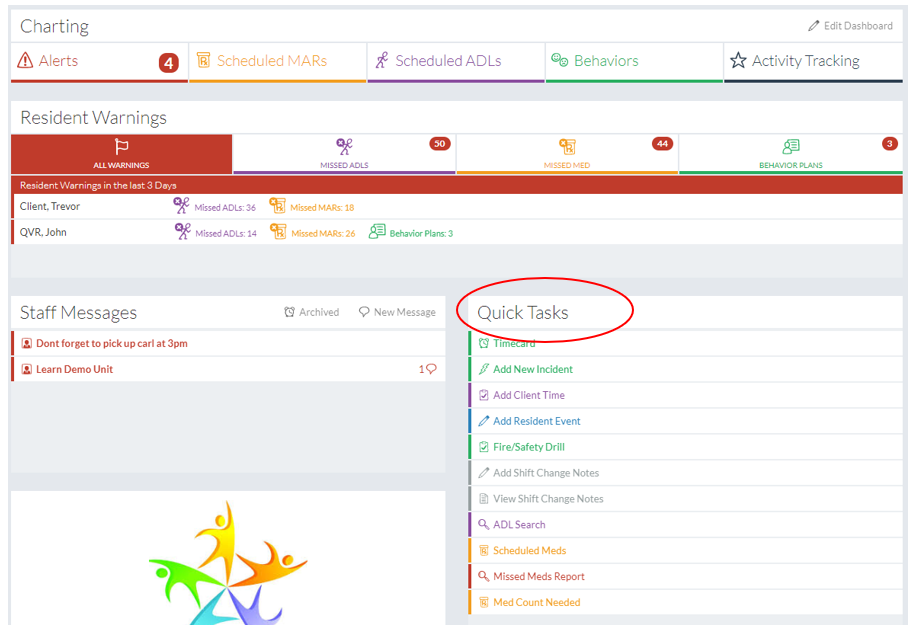
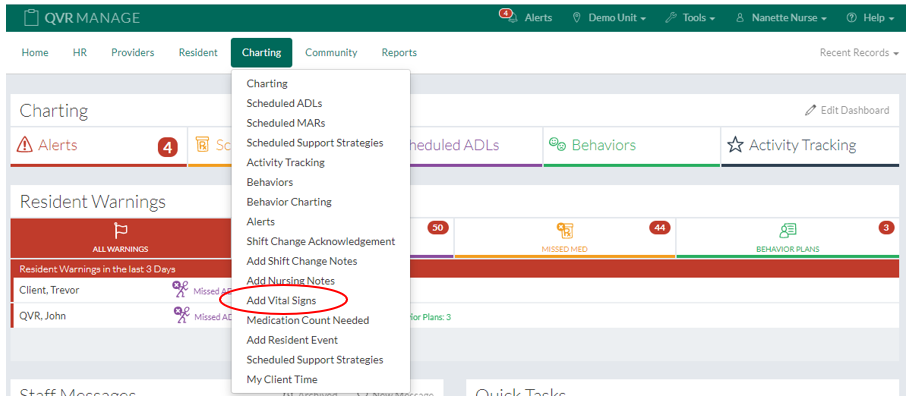
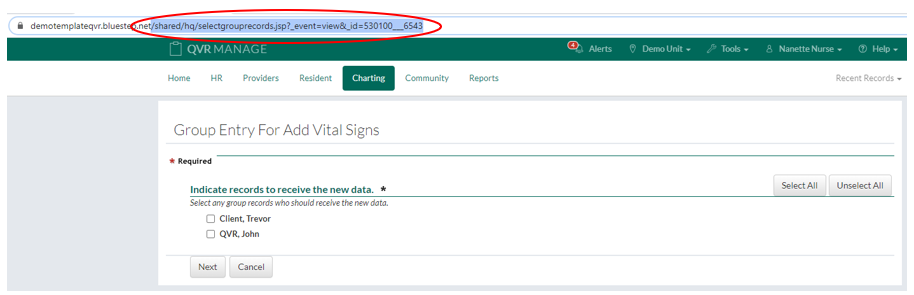
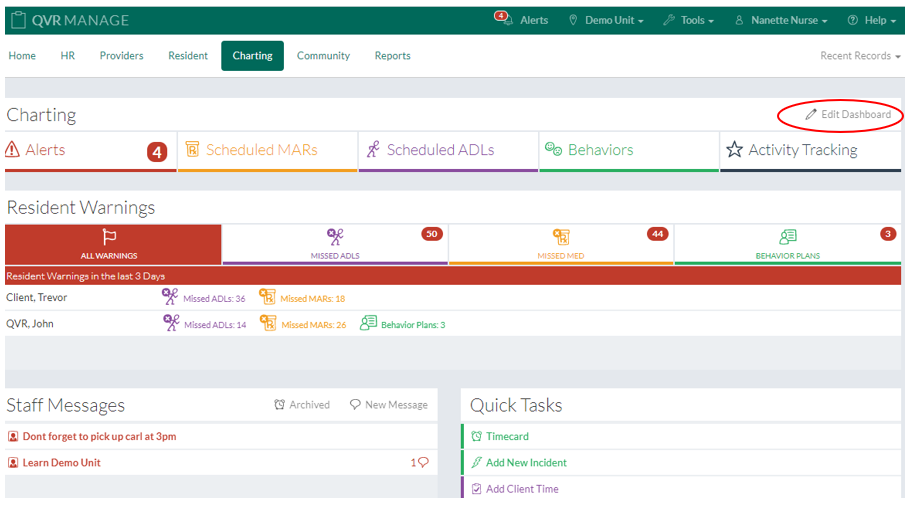
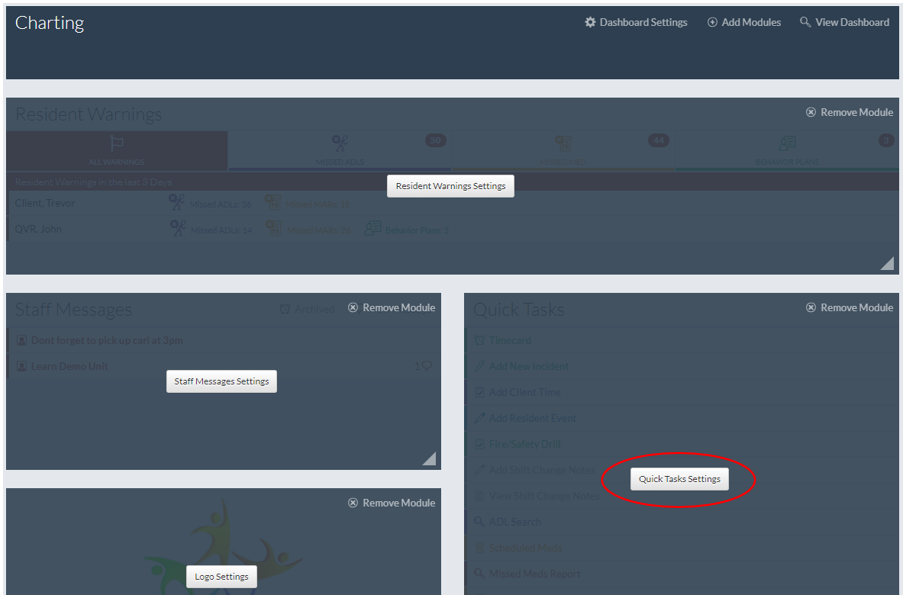
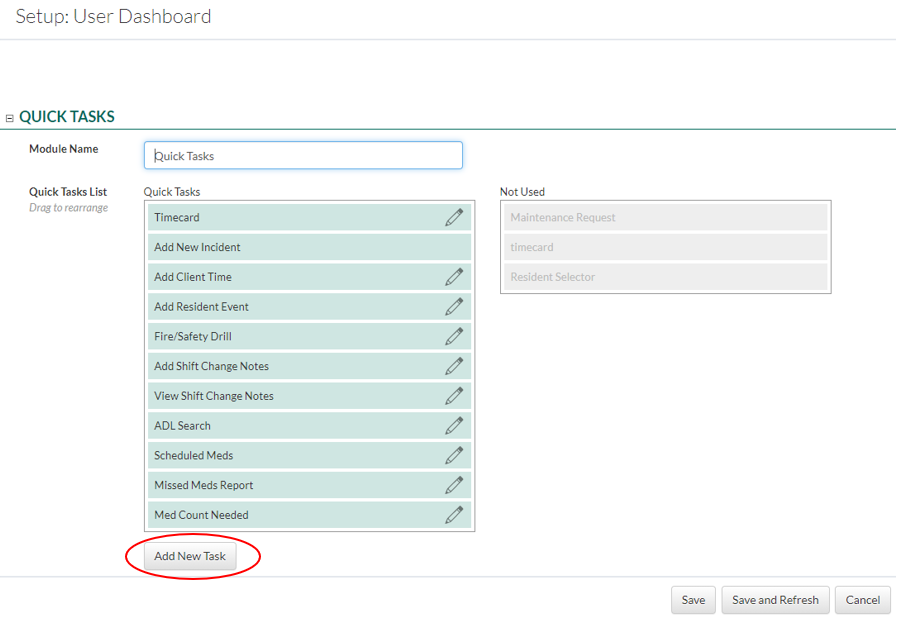
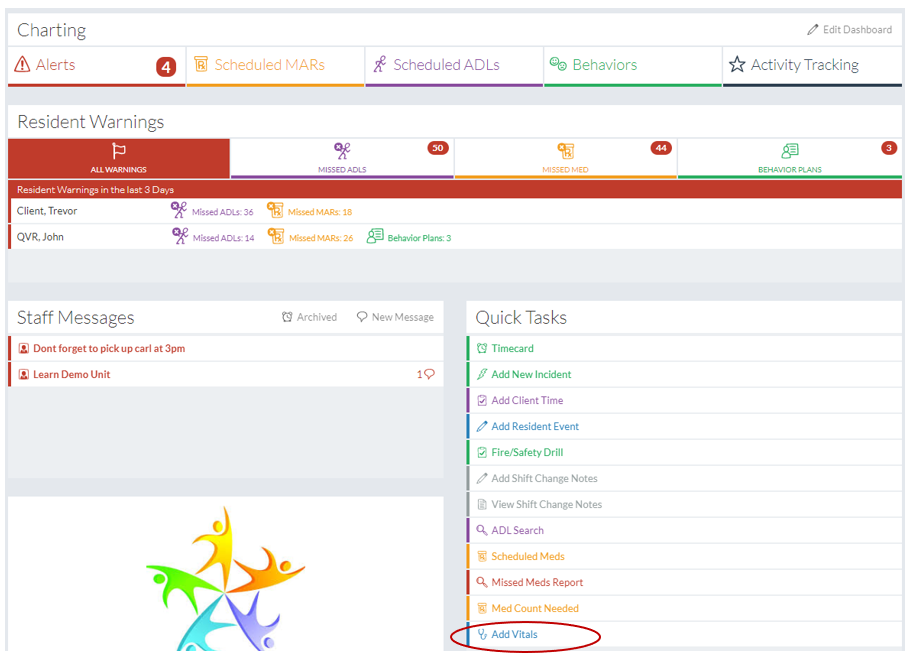
In This Help TopicQuick TasksHow to add shortcut links to the Quick Task module Creating a new Quick Task linkQuick Tasks are used to create a shortcut link to a report or form for quick and easy access. 1. Navigate to the area within the QVR software that you would like to create a Quick Task link to. 2. Copy the URL from the forward slash to the end of the URL as displayed below. 3. Navigate back you your dashboard and click the "Edit Dashboard" link 4. Click the "Quick Task Settings" button. 5. Click on the "Add New Task" button.
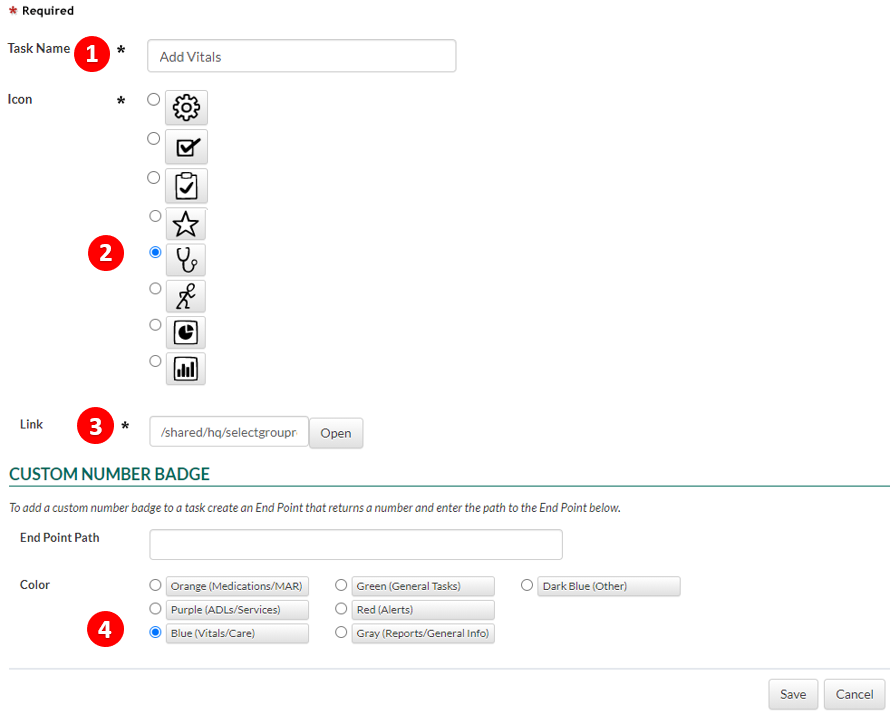
6. Fill out the Task form
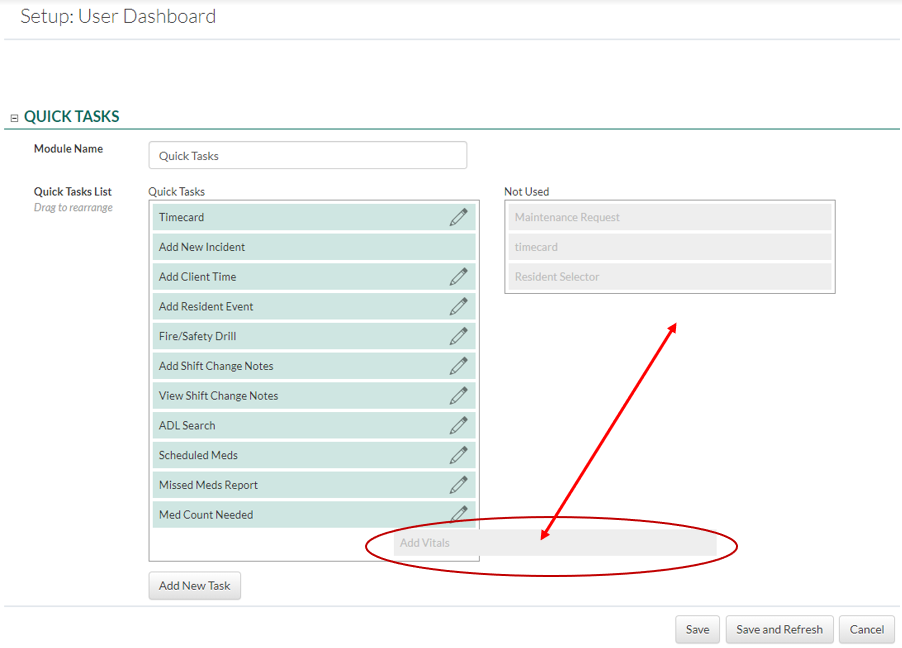
7. Click the Save button 8. Click the newly saved task and move it to the active "Quick Task List" by dragging and dropping the link. 9. Click the "Save" button. 10. Your quick task link will be displayed in the Quick Task module. |