In This Help Topic04. Setup: Medication SystemSetup: Medication System Setup the Medication System
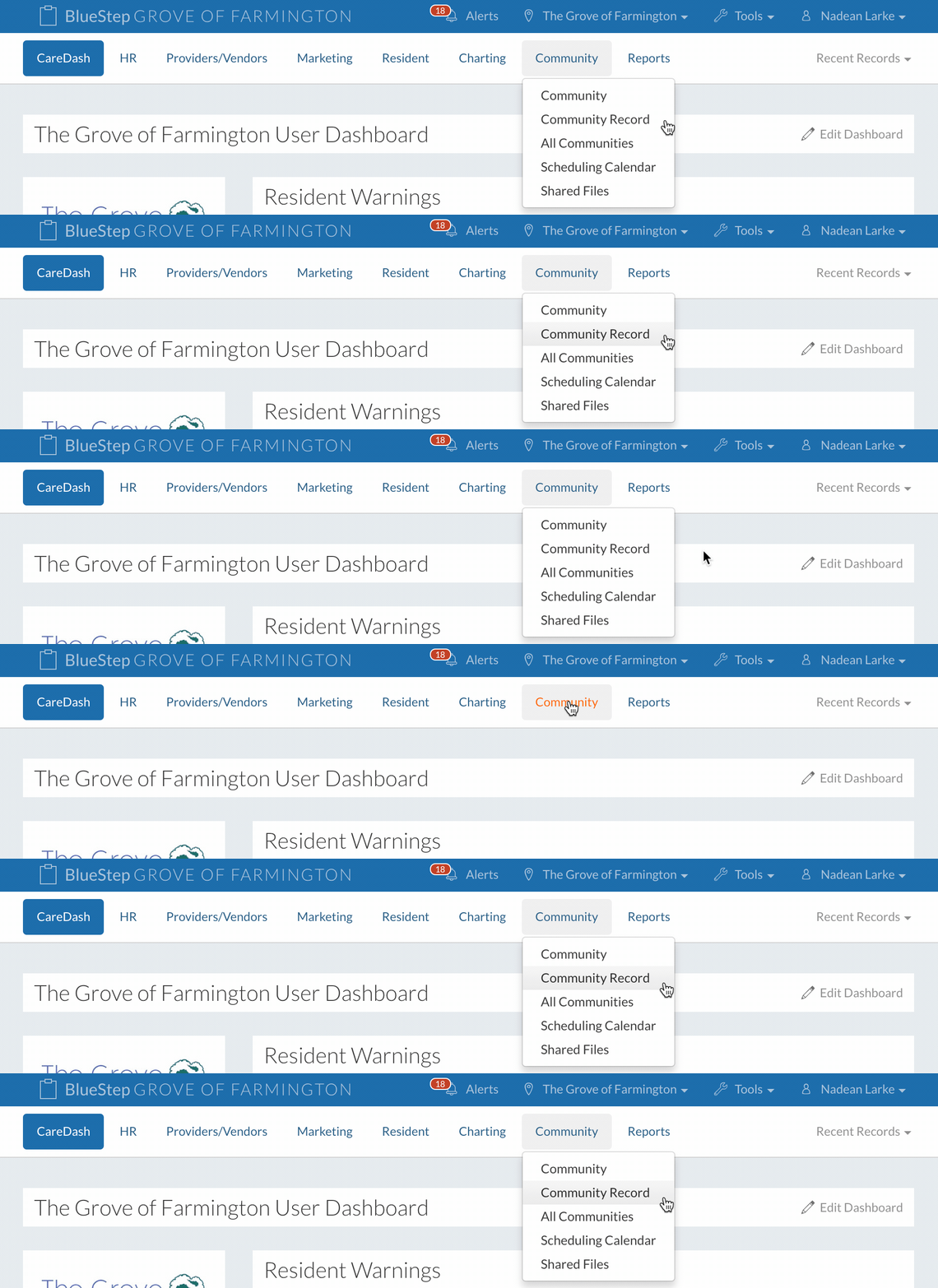
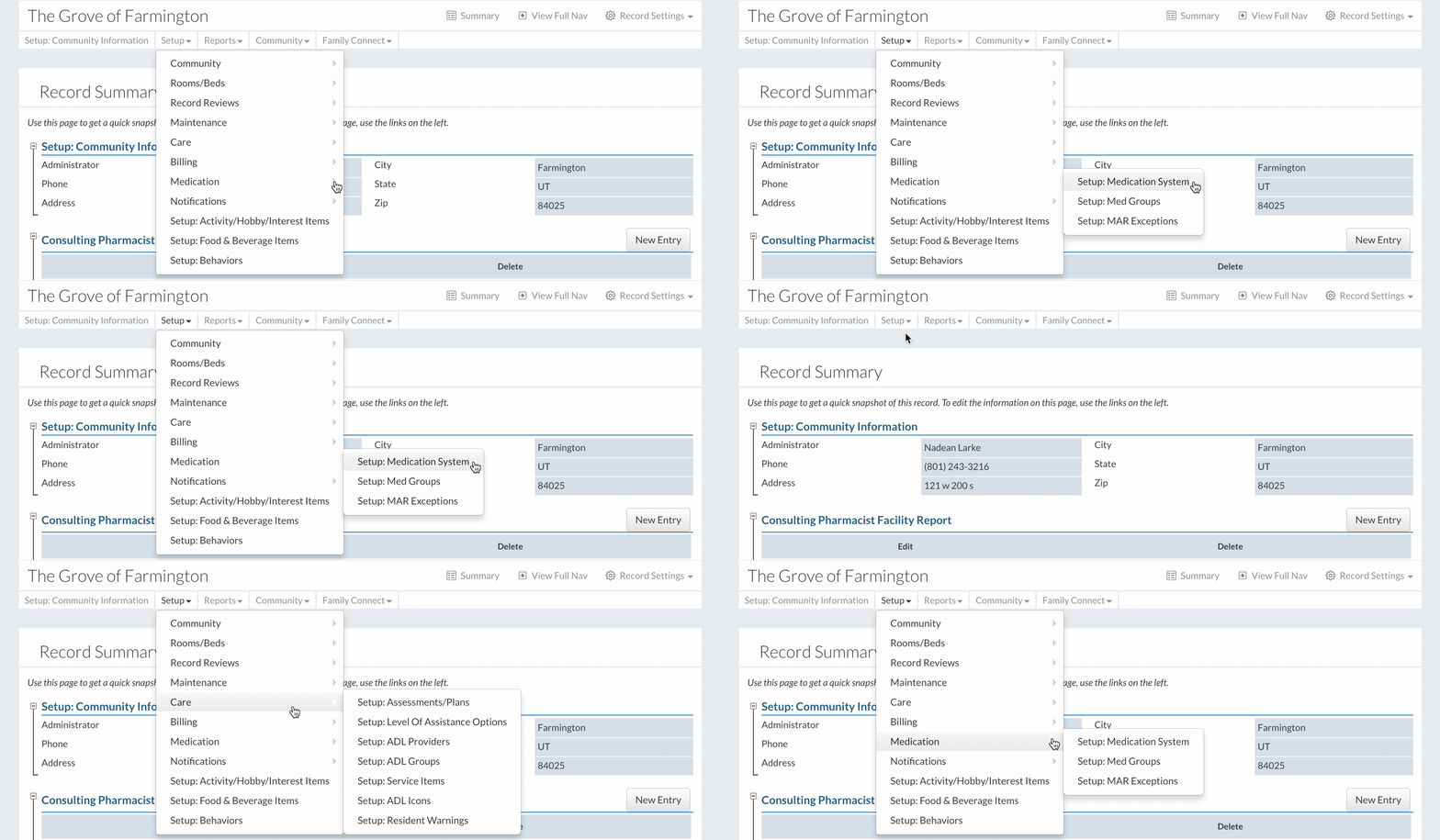
2. Click on "Setup Medication System" under "Medication" in the "Setup" dropdown.
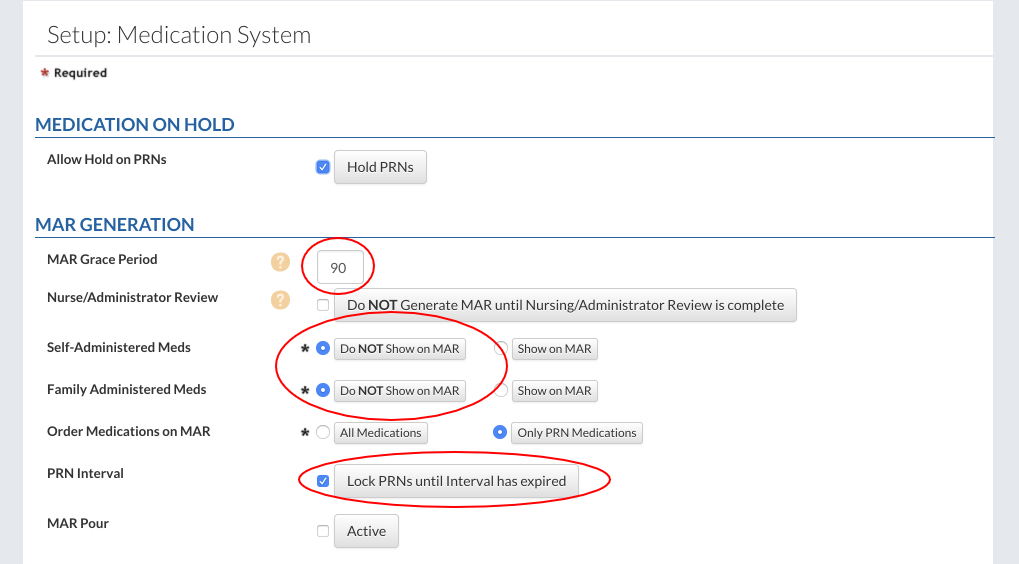
3. Fill out the form. MAR Grace Period is for new med orders. If a new med is entered for the first time and it falls within the grace period, it will display as an active med on the MAR to be administered. If it is outside of the Grace period, it will show on the MAR the following day. When the “Do Not Show on MAR” button is selected the Self-Administered and Family Administered meds can be added to a resident’s record without showing on the MAR. If the “Lock PRNs until Interval has expired” button is selected, staff will be prevented from giving a PRN until the time interval has expired.
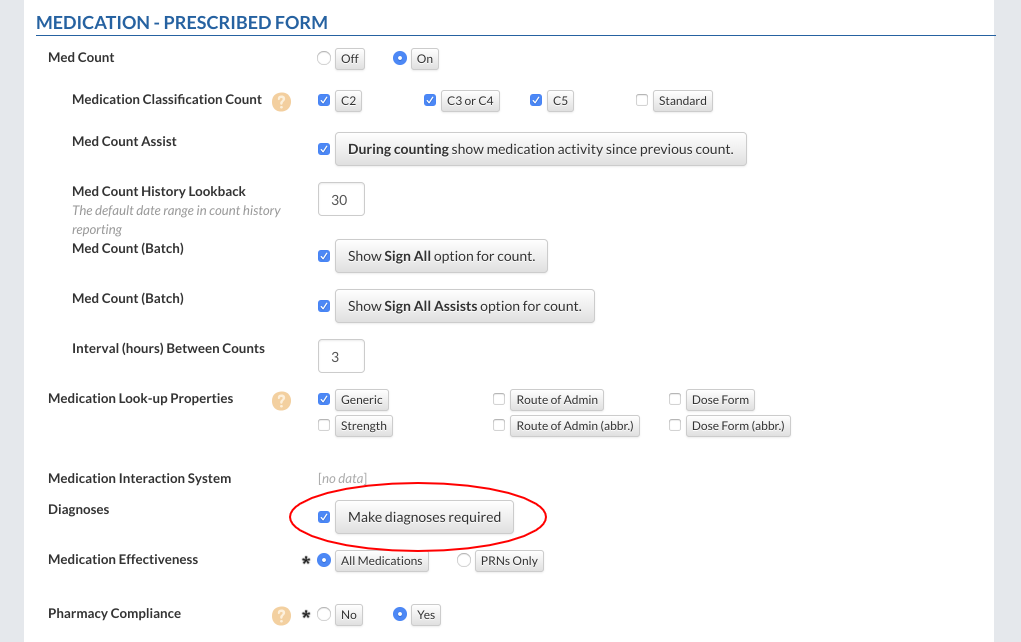
If “Make diagnoses required” is checked the diagnosis will be required to fill out a medication.
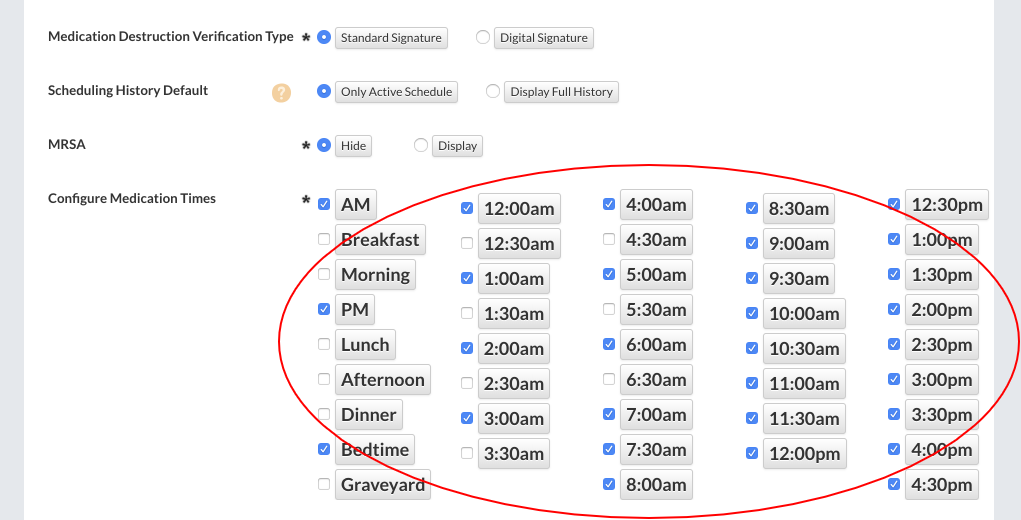
Select any times to make them available when scheduling medications.
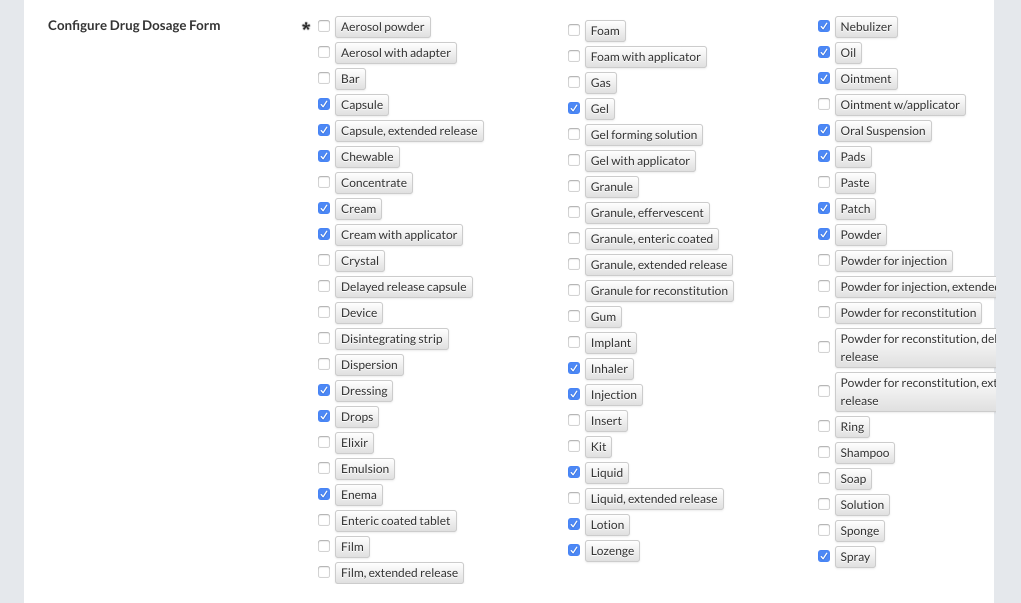
Select any drug dosage forms to have them available when entering a new medication.
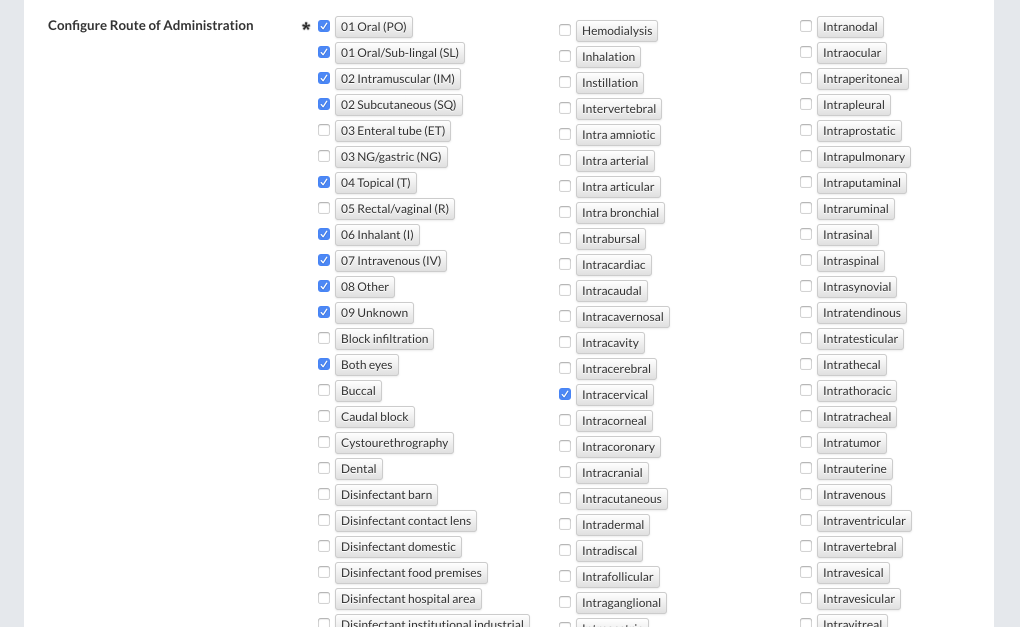
Select any route of administration to have them available when entering a new medication.
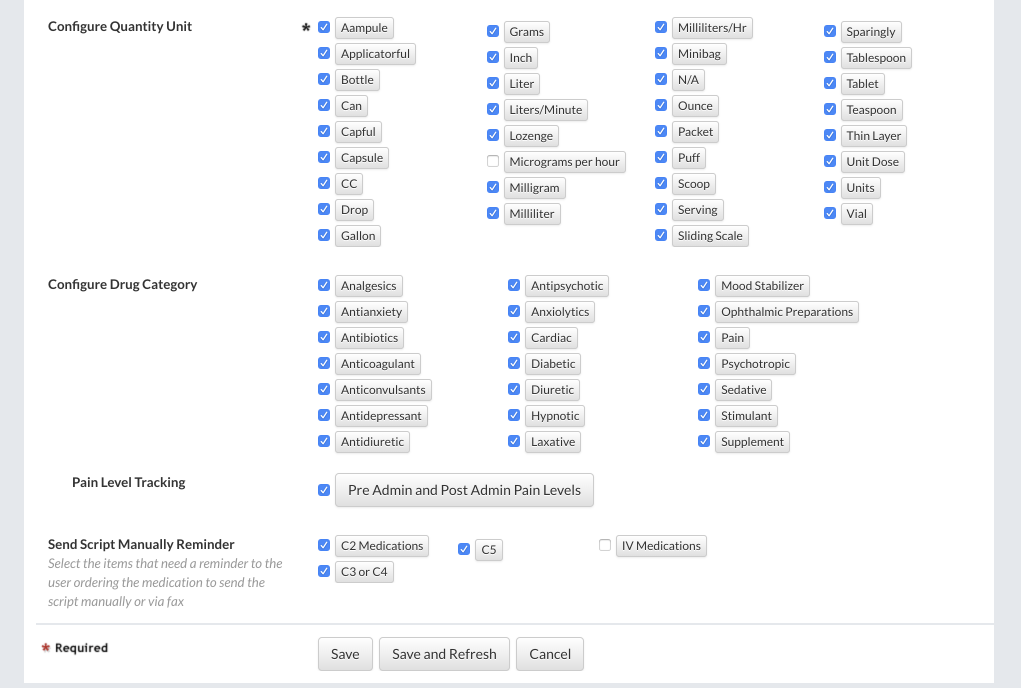
Select any quantity units to have them available when entering a new medication.
4. Click the “Save” button to finish. |