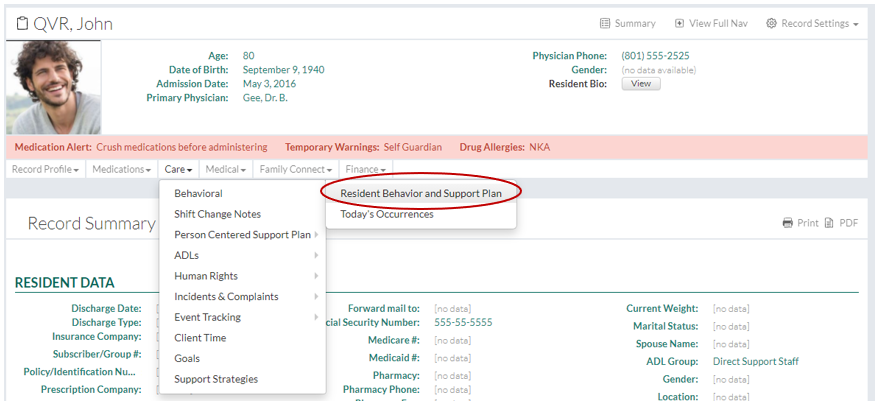
In This Help Topic09. Behavior PlansThe Behavior Plan Tracking System in QVR is a comprehensive behavior management tool that allows for the identification and evaluation of behavioral symptoms. Create a Behavior Plan1. In a resident’s Record Summary, click on “Resident Behavior and Support Plan” under “Behavioral” link under the “Care” dropdown.
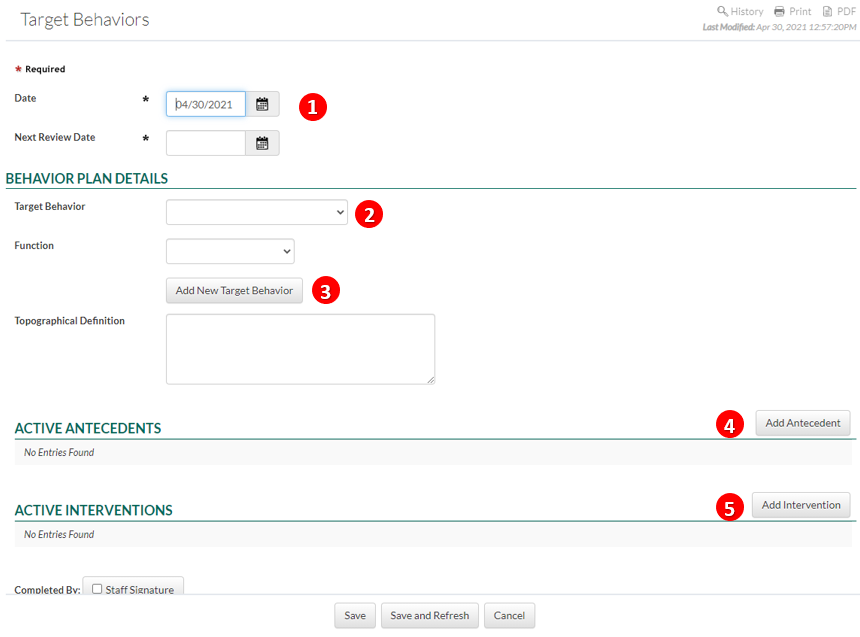
2. Click on the “New Entry” button to create a new behavior plan. 3. Fill out the form.
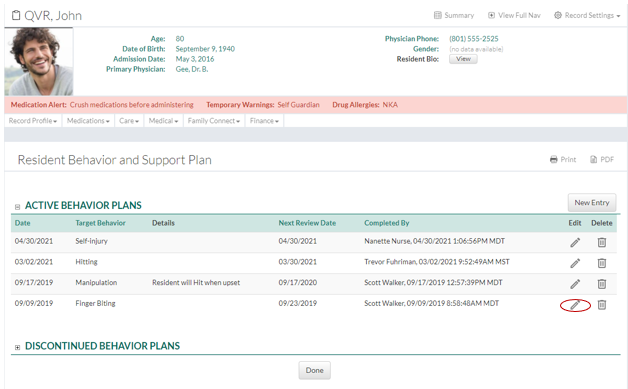
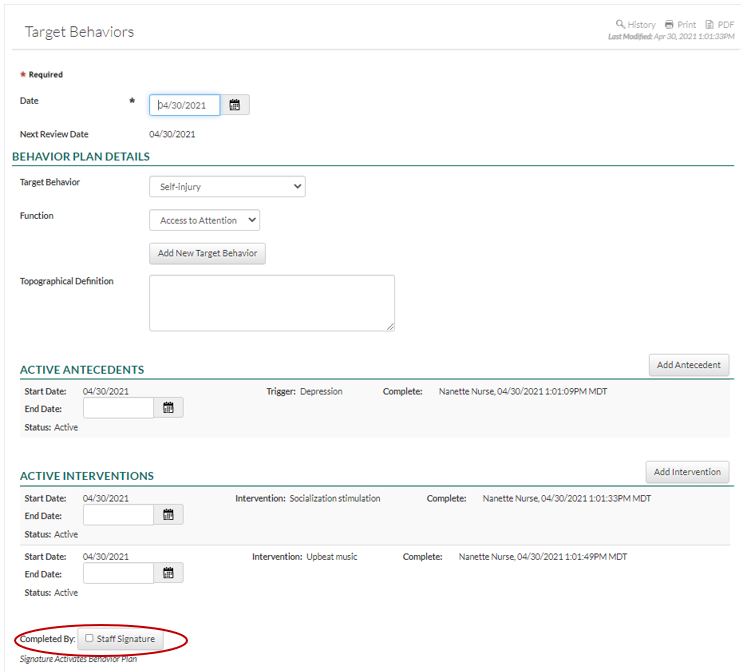
4. Click the "Save" button to finish. Completed Behavior PlansThe completed Behavior Plan will be listed as an active Behavior Plan. Multiple behaviors can be tracked for each resident. Once a Behavior Plan has been signed and saved, new triggers or interventions can still be added. Old triggers or interventions can be archived by entering an end date. The “Next Review Date” allows for a new review date to be entered.
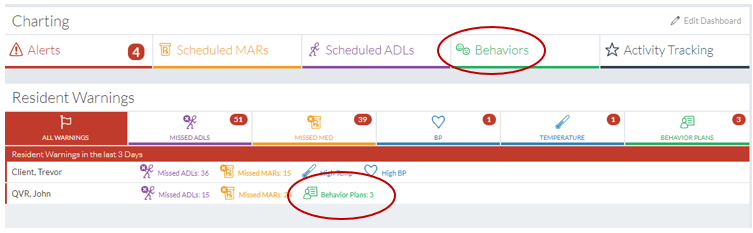
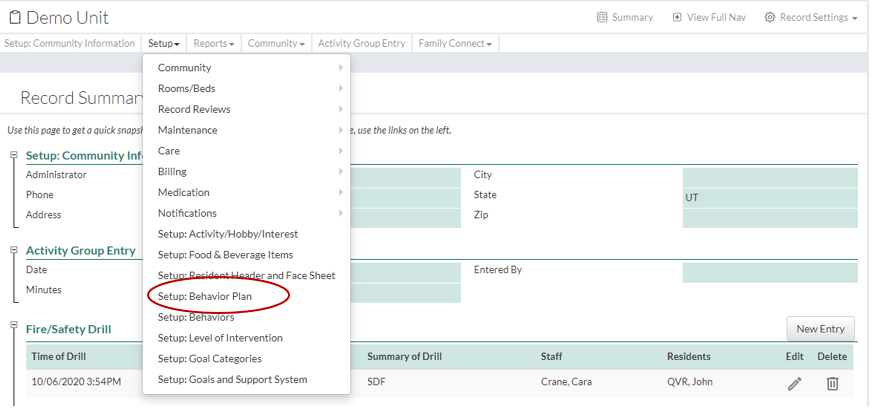
The new Behavior Plans can be accessed from the “Charting” page in the “Resident Alerts” module. The Behavior Plan warning is triggered when a behavior review is coming due or past due. See Setup: Resident Warnings for more information on notifications. Create a List of Behaviors1. Click on “Community Record” under the “Community” tab. 2. Click on “Setup: Behavior Plan” under the “Setup” dropdown. 4. Enter a behavior. The “Active” button can be selected or deselected to activate or deactivate a certain behavior. 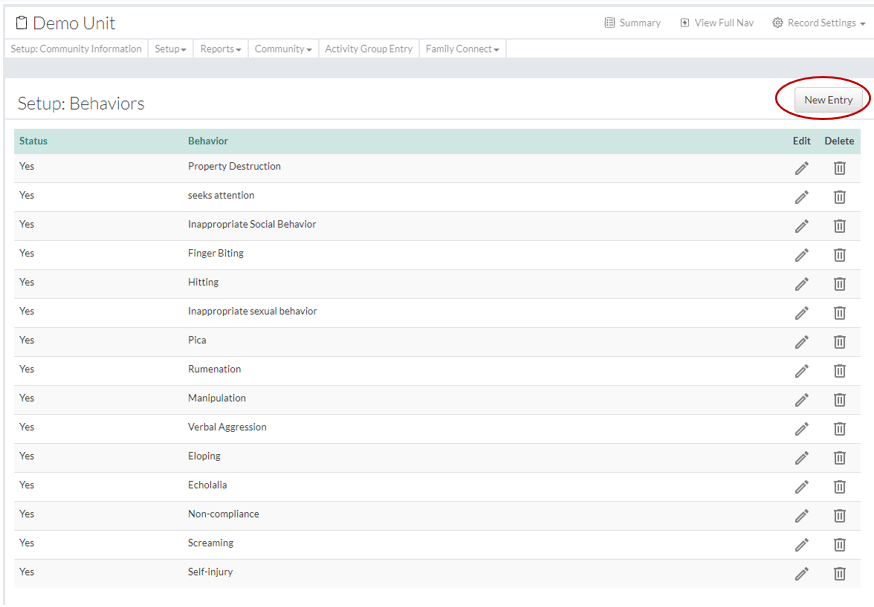
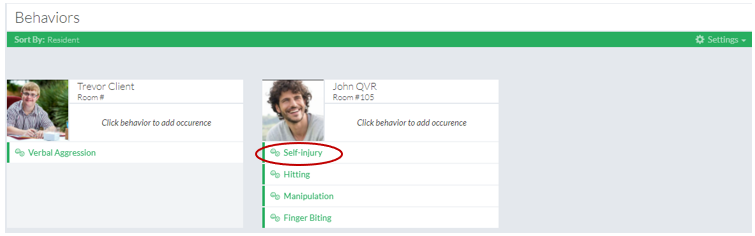
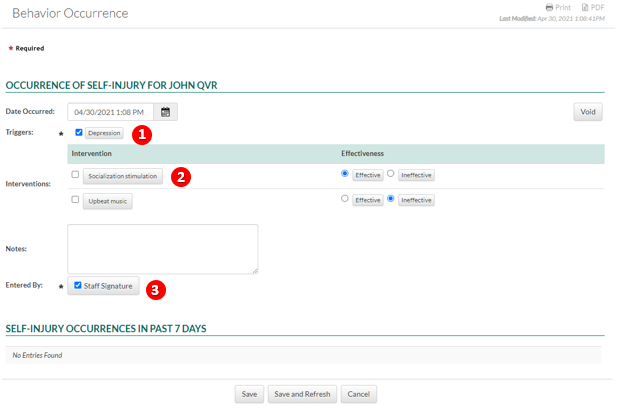
5. Click the "Save button to finish. Charting Behaviors1. On the “Charting” page, click on the Behaviors” tab. Every resident with an active Behavior Plan appears here. Each resident’s Behavior Plans display under their photo. 2. To chart a resident’s behavior occurrence, click on the corresponding behavior.
4. Click the “Save” button to finish.
Discontinue a Behavior Plan1. Edit the Behavior Plan that will be discontinued.
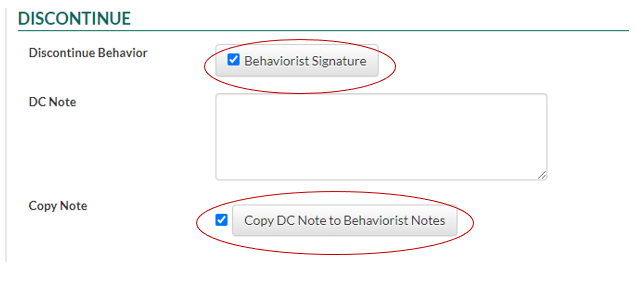
The “Copy DC note to Behaviorist Notes” allows you to create or copy the discontinued behavior plan for the bahaviorist to review.
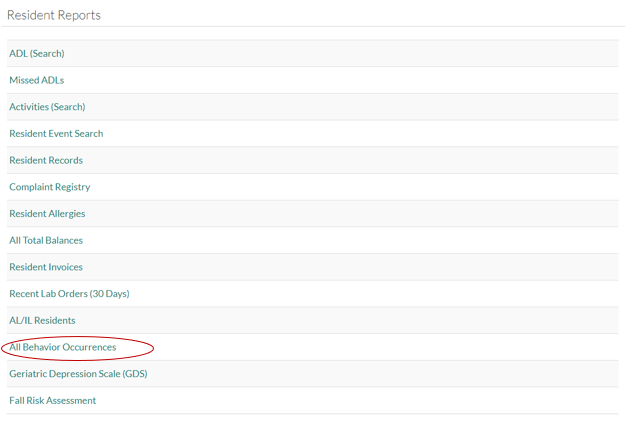
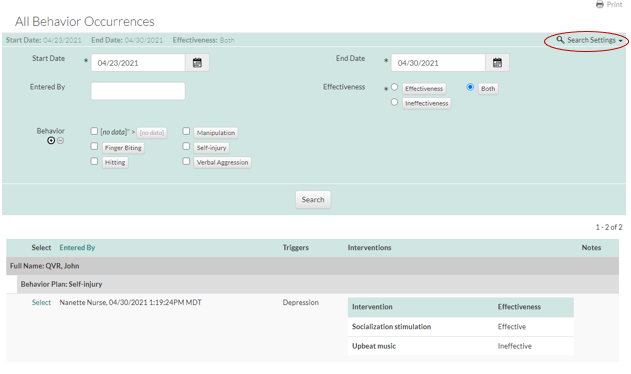
4. Click the "Save" button to finish. Behavior Reports1. A report with all of the behavior occurrences of all residents can be found under “Resident Reports” under the “Reports” tab. 3. Click on the “Search Settings” dropdown to refine your search by date, behavior, effectiveness, etc. |



 3.
3.